GPT Image and ChatGPT Image Prompting: How to Create Controllable Commercial Images
Learn how to write controllable commercial image prompts for ChatGPT and GPT Image, covering subject, composition, lighting, brand constraints, iteration and QA.
Table of Contents
Commercial images need a clear job: explain the product, communicate the selling point, and fit the final placement. For ChatGPT and GPT Image, structure matters more than keyword volume.
Start With the Business Goal
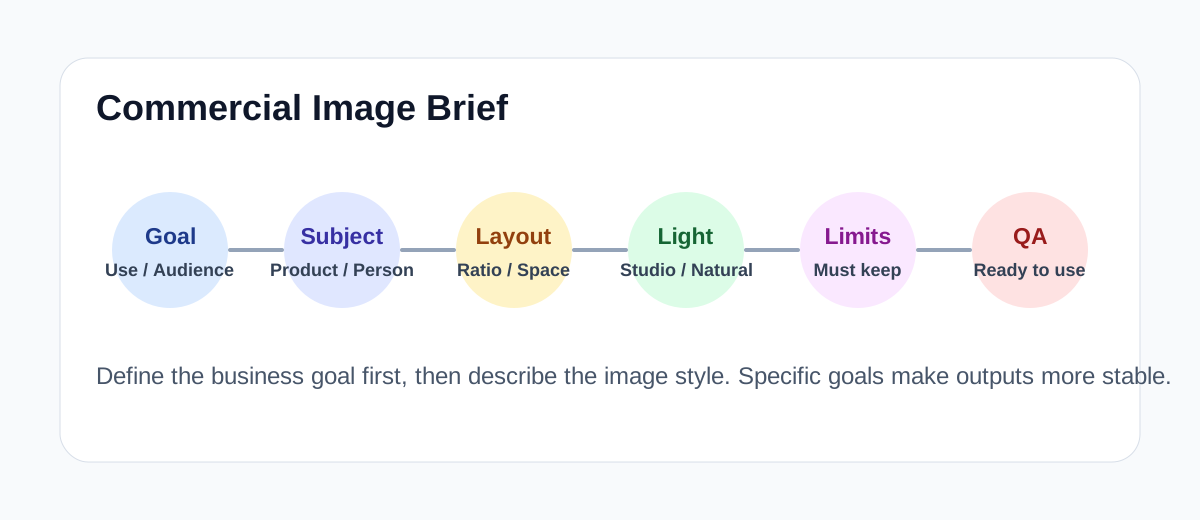
Define the use case, audience, selling point and aspect ratio before describing style.
Write the Commercial Brief First
Before style words, write the business brief: placement, audience, selling point, product features, copy space, and constraints. This turns a vague request into an art direction.
Prompt Structure for Control
Task: create a commercial image for [placement].
Subject: [product/service], preserve [key features].
Composition: [camera angle, crop, whitespace].
Style: [brand mood, industry feel].
Lighting: [studio/natural/softbox/rim light].
Background: [setting, props, colors].
Avoid: [wrong text, extra logos, distorted packaging].
Output: suitable for [poster/ad/banner/product page].Product and Selling Point
Specify the features that must not change: shape, material, color, label position, and package ratio.
Composition and Layout
Commercial images often need copy space. Ask for whitespace intentionally: right-side copy area, top headline zone, or a clean lower third for CTA.
Lighting, Materials and Color
Use terms such as softbox studio lighting, clean shadows, glossy reflections, matte texture, rim light, and premium product photography.
Iteration Method
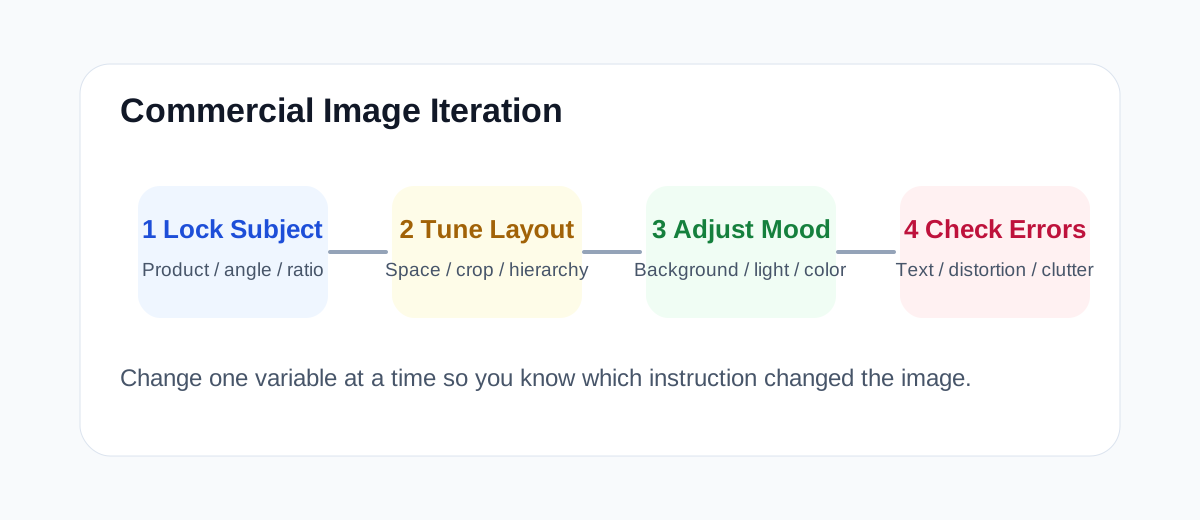
Change one variable at a time: lock subject and composition, tune background and lighting, then refine props and copy space.
Three-Round Generation Method
Round one explores direction. Round two locks layout and tunes background. Round three fixes production issues such as text artifacts, distortion, shadows and crops.
Reusable Templates
Create a premium ecommerce product ad for [product]. Place it [position], preserve [visual features]. Use [background/material] with minimal [props]. Soft studio lighting, clean shadow, refined reflection, [brand mood]. Aspect ratio [ratio], leave [area] for copy. Avoid gibberish text, extra logos, distorted packaging.Full Case Study
For a sugar-free sparkling water ad, define the goal as freshness, zero sugar and low burden. Use a left-side can, blue ice, light condensation and 40% right-side copy space. Iterate by reducing props, cleaning copy space and correcting package edges.
Common Failure Patterns
Most unusable commercial outputs fail because the prompt does not specify placement, copy space, product constraints or negative requirements.
Output QA Checklist
- Is the product distorted?
- Is there gibberish text?
- Is the selling point visible?
- Is there enough copy space?
- Does the image crop well on mobile and desktop?
Frequently Asked Questions
Can I use GPT Image outputs commercially?
Under OpenAI’s policy, paid users can generally use GPT Image outputs commercially, but you must verify rights for trademarks, likenesses and third-party copyrighted content.
Why doesn’t my commercial prompt follow instructions?
Usually it lacks product constraints, placement, copy space or negative requirements. Lock subject, position, background, lighting and copy space first, then iterate one variable at a time.
How do I ask ChatGPT to edit an image I already generated?
Describe the specific change in conversation, for example “keep the product and composition, swap the background to a clean light grey” or “make the product smaller and leave 40% copy space on the right”.
What should a commercial image prompt include?
At minimum: product and selling point, placement, composition, background and mood, lighting, copy space, plus negative requirements against gibberish text and extra logos.
Related Tutorials
How to Use Midjourney: Beginner Guide
Learn how to use Midjourney from signup to your first image, including prompts, personalization, variations, upscaling, remix, and image references.
Seedream Quick Start Guide
Learn ByteDance Seedream from scratch, master Seedream3.0/4.0/4.5 usage tips, quickly generate high-quality AI images
AI Art Prompt Engineering Guide
Master AI art prompt writing techniques from beginner to advanced, including universal formulas, weight syntax, style keyword library and practical templates