
Seedream Quick Start Guide
Learn ByteDance Seedream from scratch, master Seedream3.0/4.0/4.5 usage tips, quickly generate high-quality AI images
Table of Contents
Welcome to the Seedream Quick Start Guide! Seedream (Jimeng AI) is ByteDance's AI creation platform supporting image generation, smart editing, and video generation. This tutorial will help you master the core features from scratch.
- ✅ Strong Chinese prompt understanding
- ✅ Multiple artistic styles support
- ✅ Built-in smart canvas editing
- ✅ Image to video conversion
- ✅ Daily free generation credits
Introduction to Seedream
Seedream (Jimeng AI) is an AI creative tool developed by ByteDance based on the Skylark model, currently offering versions 3.0, 4.0, and 4.5. Compared to other AI art tools, Seedream has unique advantages in Chinese language understanding, Eastern aesthetics, and traditional Chinese art creation.
Main Function Modules
- Image Generation: Text-to-image, image-to-image, smart reference
- Smart Canvas: Inpainting, outpainting, erase, upscale
- Video Generation: Image to video, text to video
- Story Creation: Storyboard generation, character consistency
Registration and Login
Access Seedream
- Open browser and visit jimeng.jianying.com
- Click the "Start Jimeng" button to enter
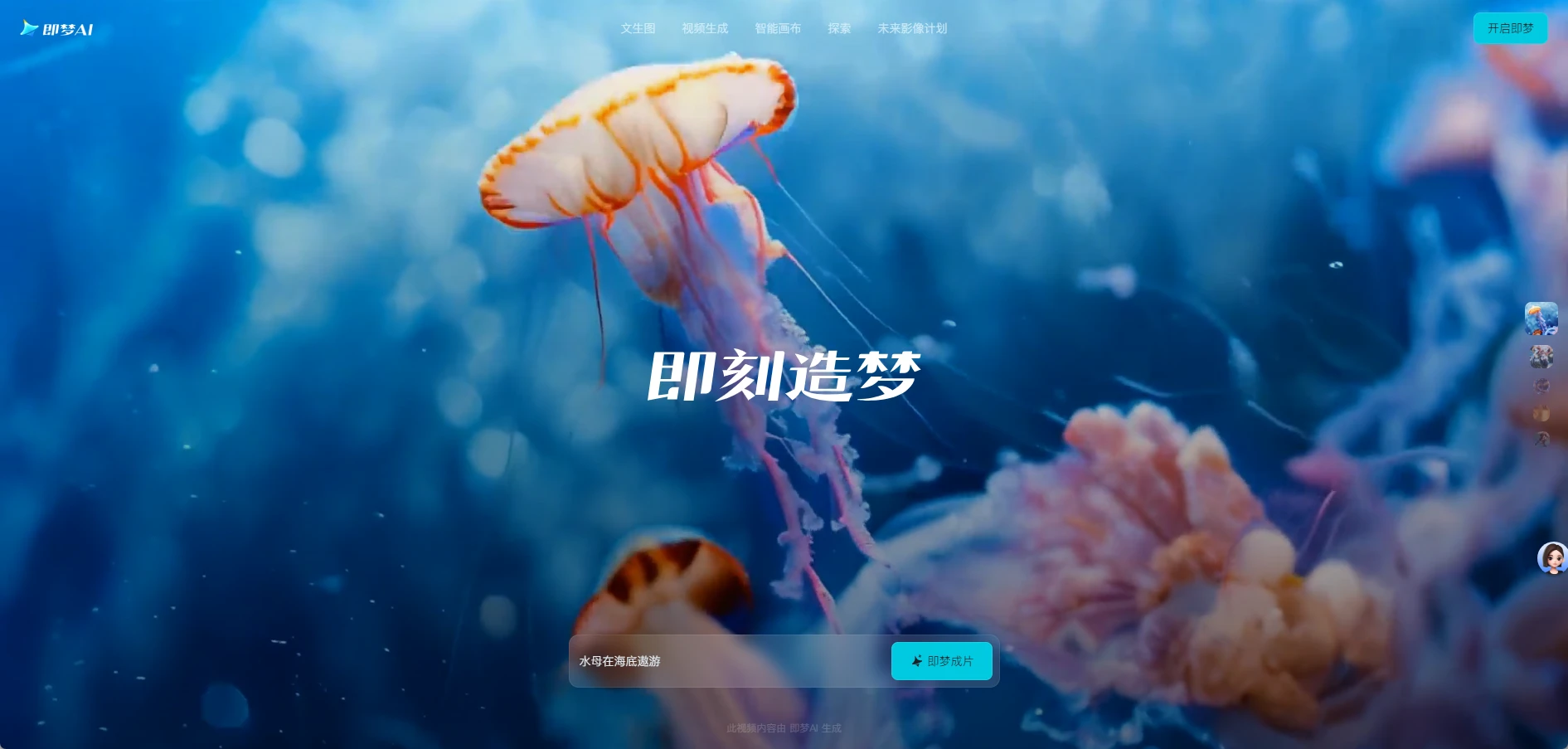
Account Registration
Seedream currently only supports Douyin account login:
- Douyin Account: Open "Douyin APP" and scan the QR code in the top left corner to login

Interface Tour
After logging in, you'll see the Seedream main interface. Let's get familiar with the functional areas:
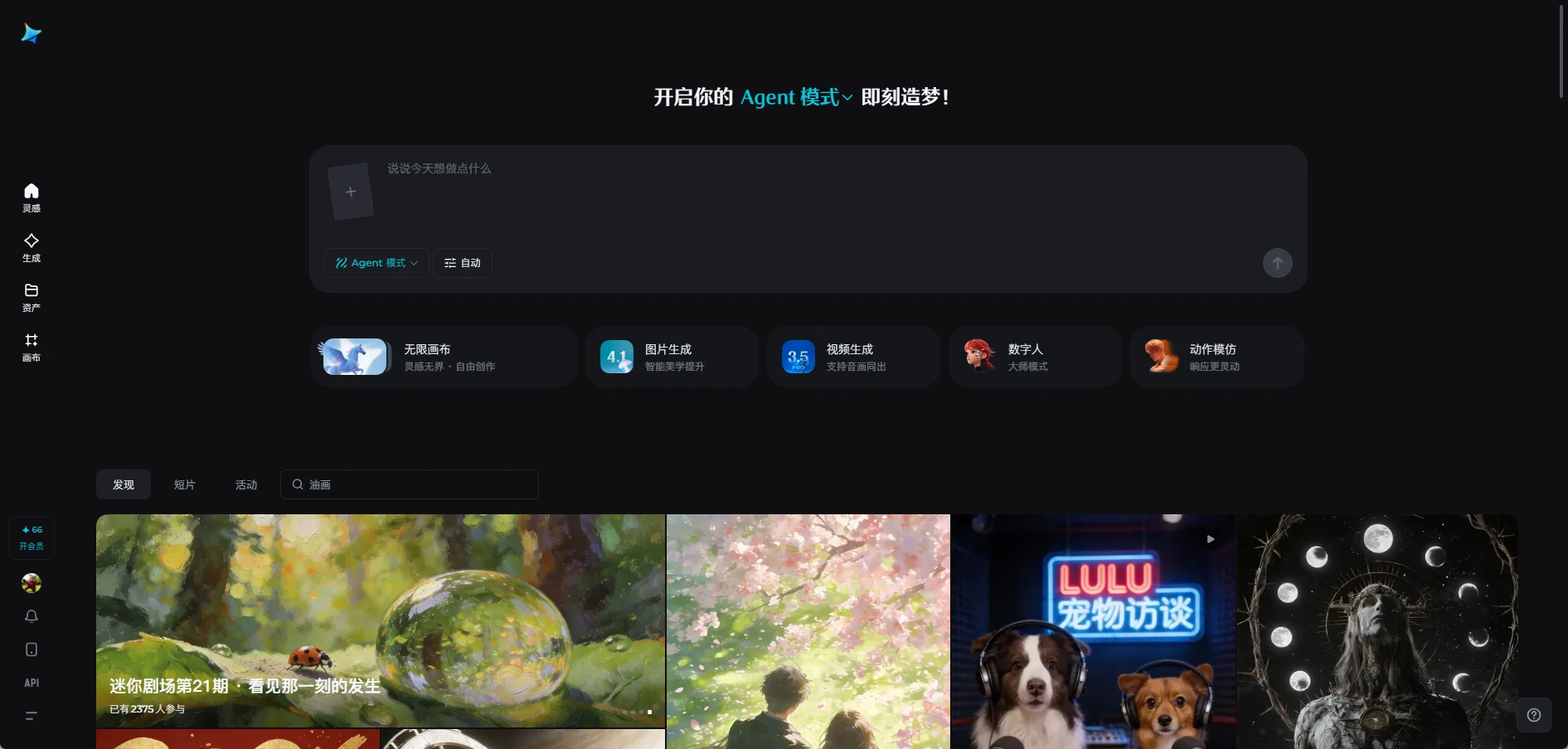
Main Area Descriptions
| Area | Function |
|---|---|
| Left Navigation | Home, Generate, Assets, Canvas |
| Upper Creation Area | Prompt input, reference image upload |
| Lower Inspiration Area | Excellent works from other users for learning |
Generate Your First Image
Step 1: Enter Prompt
In the input box at the center of the page, describe the scene you want to generate in Chinese or English:
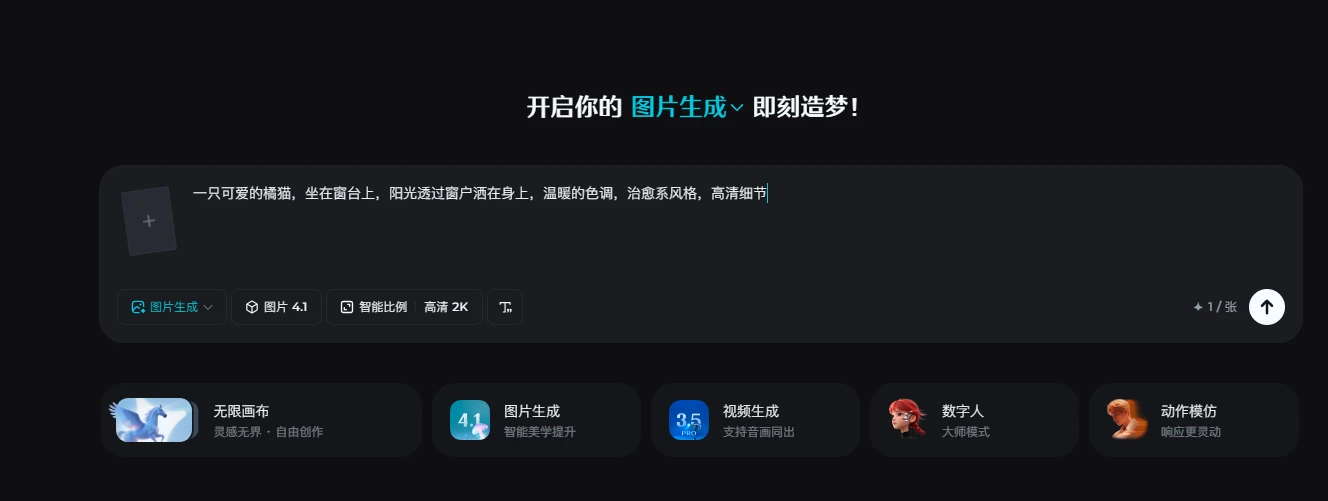
Step 2: Select Model
Click the "Model" dropdown at the top and choose the appropriate version:
- Seedream 3.0: Fast speed, good for quick trials
- Seedream 4.0: High quality, rich details
- Seedream 4.5: Latest version, best results
Step 3: Set Aspect Ratio
Choose the appropriate ratio based on usage:
- 1:1: Avatars, memes
- 9:16: Phone wallpapers, short video covers
- 16:9: Desktop wallpapers, PPT images
- 3:4: Xiaohongshu, Instagram
Step 4: Generate Image
Click the "Generate Now" button, wait 10-30 seconds, and AI will generate 4 images for you to choose from.
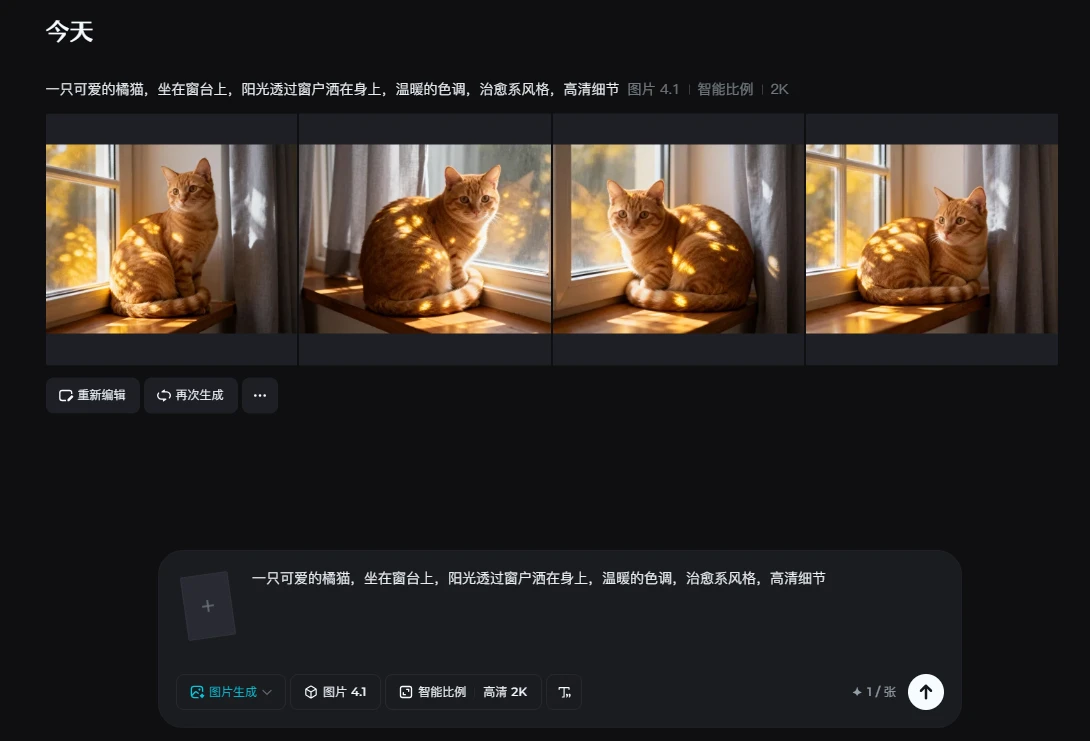
Step 5: Download or Edit
Hover over your favorite image and click:
- 💾 Download: Save to local
- ✏️ Edit: Enter smart canvas to modify
- 🔄 Redraw: Regenerate based on current image
- ⭐ Save: Save to personal gallery
Prompt Structure Formula
Example:
Subject: A golden retriever
Scene: Running on the beach
Style: Sunny and energetic, sports photography
Quality: High-definition details, 8K
Parameters: Ratio 16:9
Prompt Writing Tips
Chinese Prompt Advantages
Seedream understands Chinese very well. You can describe directly in natural language:
Prompt Structure Formula
Common Style Keywords
| Style Type | Keywords |
|---|---|
| Chinese Traditional | Ink painting, Gongbi, Ancient style, Xianxia |
| Modern Style | Flat illustration, 3D render, Cyberpunk, Minimalist |
| Art Style | Oil painting, Watercolor, Sketch, Printmaking, Pop art |
| Photography | Portrait, Landscape, Macro, Long exposure |
Image Editing Features
Click the "Edit" button on the generated image to enter the smart canvas:
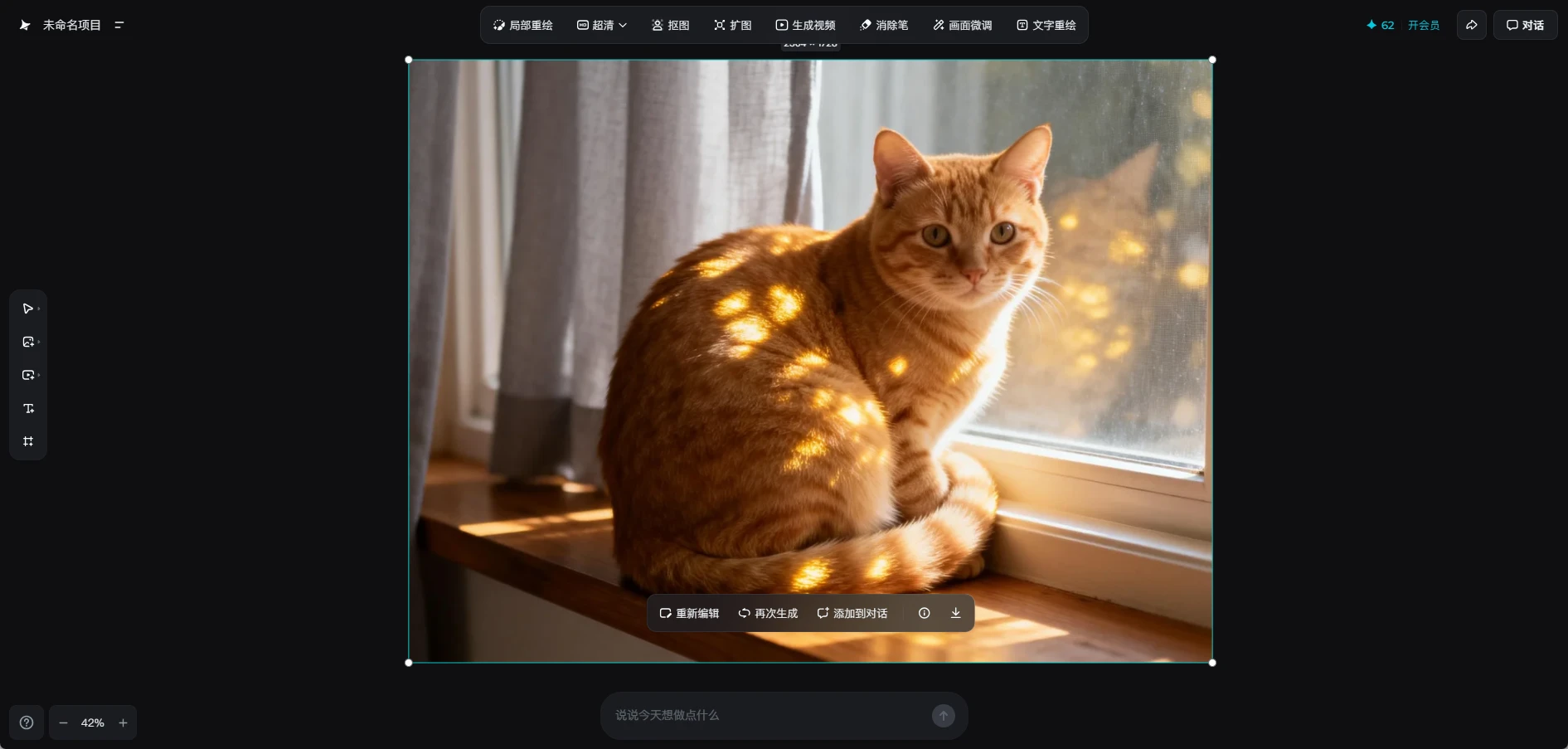
Main Editing Functions
1. Inpainting
Use brush to paint the area you want to modify, then enter new description:
- Paint clothing → Enter "change to red dress"
- Paint background → Enter "change to starry sky background"
2. Outpainting
Expand image boundaries, AI automatically fills the scene:
- Click the outpainting button
- Select expansion direction (up/down/left/right)
- AI automatically fills the new area
3. Erase
Remove unwanted elements from the image:
- Paint the object to be removed
- Click the erase button
- AI intelligently repairs the background
4. Upscale
Increase image resolution:
- Supports 2x and 4x upscaling
- Maintains clarity
- Suitable for print output
Smart Canvas Usage
Smart Canvas is Seedream's core feature, supporting image editing and navigation:
Image Editing
- Inpainting: Fine-tune image elements
- Upscale: Supports 2x and 4x upscaling, maintains clarity, suitable for print output
- Cutout: Intelligently identifies and extracts people or objects
- Outpainting: Expand image boundaries, AI automatically fills the scene
- Video Generation: Convert static images to dynamic videos
- Eraser: Remove unwanted elements from the image
- Text Redraw: Modify text in the image
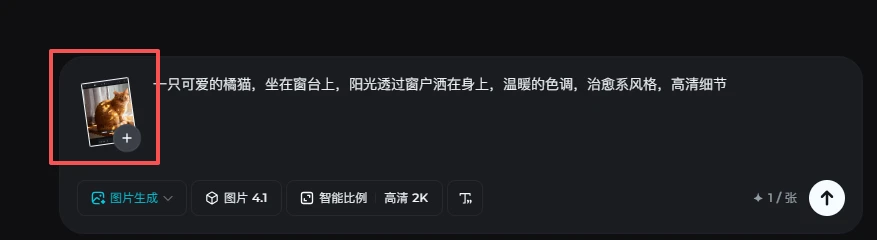
Reference Image Function
Upload reference images for AI to learn style or composition:
- Click "Reference Image" button
- Upload local image or select from history
- Select reference type: Style / Composition / Character
- Adjust reference strength (0-100%)
Video Generation
Seedream supports converting static images to dynamic videos:
Image to Video
- Select a generated image
- Click "Generate Video" button
- Select motion intensity (Slight/Medium/Strong)
- Click generate and wait 1-2 minutes
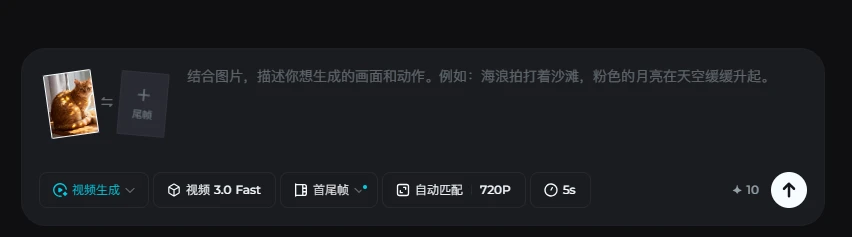
Video Parameter Settings
| Parameter | Description |
|---|---|
| Duration | 3 seconds, 5 seconds, 10 seconds |
| Frame Rate | 24fps, 30fps |
| Resolution | 720p, 1080p |
| Motion Intensity | Slight, Medium, Strong |
Model Version Selection
Different Seedream model versions have different characteristics:
| Version | Features | Use Cases |
|---|---|---|
| Seedream 3.0 | Fast generation, fewer credits | Quick trials, sketch concepts |
| Seedream 4.0 | Quality improvement, richer details | Daily creation, social media |
| Seedream 4.5 | Latest version, best results | Professional creation, commercial use |
Practical Tips Summary
1. Daily Free Credits
- New users get daily credits
- Different models consume different credits (3.0 < 4.0 < 4.5)
- Extra credits through check-in and sharing
2. Work Management
- All generated works auto-saved to "Works" page
- Support creating folders for organization
- Batch download or delete supported
3. Inspiration Community
- Browse other users' excellent works
- One-click copy others' prompts
- Follow favorite creators
🎉 Congratulations on completing this tutorial!
You now have mastered the basics of Seedream. Next steps:
- Try different prompt styles
- Explore advanced smart canvas features
- Share your works to Designhint community
- Learn more advanced tutorials
Frequently Asked Questions
What is Seedream and does it cost money?
Seedream is ByteDance’s AI image generation platform, powered by its Seedream image models. It includes free credits for everyday experimentation, and paid plans for heavy or commercial use.
What are the differences between Seedream 3.0, 4.0 and 4.5?
Newer versions generally understand Chinese prompts better and produce sharper text, composition and detail. The guide recommends using the latest version first and comparing older versions when the style drifts.
Where can I use Seedream?
You can use Seedream on the official web app or its mobile apps, with text-to-image, image-to-image and smart canvas tools.
How do I improve Seedream image quality?
Describe the subject, scene and style first, then add lighting, lens and detail requirements. Change one variable at a time, and use upscaling, inpainting and multiple generations to pick the best output.
Related Tutorials
How to Use Midjourney: Beginner Guide
Learn how to use Midjourney from signup to your first image, including prompts, personalization, variations, upscaling, remix, and image references.
AI Art Prompt Engineering Guide
Master AI art prompt writing techniques from beginner to advanced, including universal formulas, weight syntax, style keyword library and practical templates
GPT Image and ChatGPT Image Prompting: How to Create Controllable Commercial Images
Learn how to write controllable commercial image prompts for ChatGPT and GPT Image, covering subject, composition, lighting, brand constraints, iteration and QA.