Designhint AI tool

AI Image Upscaler & Sharpener

Repair image detail at 1x while keeping dimensions close to the source, or choose 2x or 4x AI upscaling for a larger result.

Choose an enhancement

1x repairs detail while keeping output dimensions close to the source.

Estimated cost3 credits
1x repair · 2x / 4x upscalingAI detail enhancementHigh-resolution download
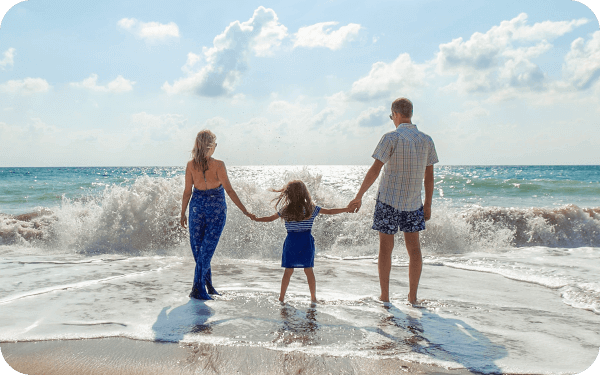
Enhanced photo example
After enhancement
2x preview

AI Image Upscaling Use Cases

See how the image upscaler improves products, portraits, screenshots, and photos.

Before and after e-commerce product image upscaling

E-commerce image upscaling

  • Improve product texture and edges
  • Create clearer listing images

Upscale and Sharpen Images for Real Use

Enhance visible detail for portraits, products, screenshots, and older photos.

Portrait Image Upscaler & Sharpener

Improve visible facial detail and reduce mild blur while keeping skin tones and lighting natural.

  • Improve visible facial detail
  • Reduce mild blur and noise
  • Keep natural tones and edges
Portrait Image Upscaler & Sharpener

E-commerce Product Image Upscaler

Make catalog images clearer for product pages, listings, and marketing assets by enhancing visible texture and edges.

  • Sharpen product details
  • Enhance textures and edges
  • Prepare clearer listing images
E-commerce Product Image Upscaler

Choose the Right Image Enhancement

Clear details, scale options, and practical download limits in one workflow.

1x repair / 2x & 4x upscale

Available

1x keeps dimensions close to the source; 2x and 4x enlarge the image.

Mild blur sharpening

Included

Enhance visible edges and detail with 1x repair or upscaling.

Input formats

JPG, PNG, WebP, BMP

Up to 20MB per image.

Download result

Included

Download the completed high-resolution image.
How to Upscale and Sharpen Images

1
Upload an image

Upload an image

Upload a JPG, PNG, or WebP image and choose 1x detail repair or 2x/4x upscaling.
2
AI enhances visible detail

AI enhances visible detail

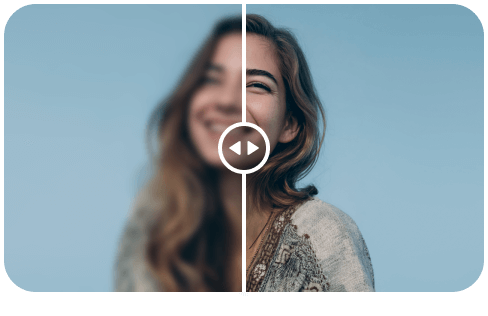
The AI upscaler improves visible detail and reduces mild blur and noise.

3
Download the result

Download the result

Download the enhanced image when processing is complete.

Image Upscaler FAQ

What images work best with an AI image upscaler?
It works best for low-resolution or mildly blurry portraits, products, screenshots, photography, and older photos. AI can enhance visible detail but cannot recover information that is completely missing.
Should I choose 1x, 2x, or 4x?
Choose 1x detail repair to improve the image while keeping dimensions close to the source (the model may adjust a few pixels). Choose 2x or 4x when you need a larger output. Keep the input within 4096px on the long edge and 20MB per file.
How many credits does each enhancement use?
Each enhancement uses at least 3 credits. The cost depends on output resolution and scale, and is shown for confirmation before processing. Credits are refunded automatically if processing fails.
Which image formats and sizes are supported?
PNG, JPG, JPEG, WebP, and BMP are supported. Each file can be up to 20MB, with a recommended maximum long edge of 4096px.
What is the difference between AI upscaling and basic sharpening?
Basic sharpening mainly increases edge contrast. 1x AI repair improves visible detail while keeping dimensions close to the source; 2x and 4x also enlarge the output. Heavily out-of-focus or damaged images still have limits.

Ready to enhance your photos?

User Feedback